
Report Designer for Safety & Security Documentation
Create customized project documentation from your engineering data with drag and drop and live updates within an integrated engineering environment.
No obligation · Personal consultation · Fast response
Report Creation Workflow
EnCo SOX Report Designer supports your team throughout the complete documentation process, from templates and content selection to live data updates and compliant deliverables.
Choose
Template
Start from templates with reusable placeholders
Drag & Drop
Content
Place data from existing projects with a couple of clicks
Import
Project Data
Display data from all SOX modules including SysML diagrams
Configure
Layout
Structure the document with the user friendly web interface
Live
Updates
Keep report content synchronized with project data
Review
Compliance
Track compliance requirements efficiently in the document
Publish &
Export
Generate consistent safety and security documentation
EnCo SOX Report Designer turns structured engineering data into consistent documentation without manual copy and paste.
Core Report Designer Capabilities
From customized documentation and live updates to comprehensive data import, EnCo SOX provides the tools required to document your projects efficiently.
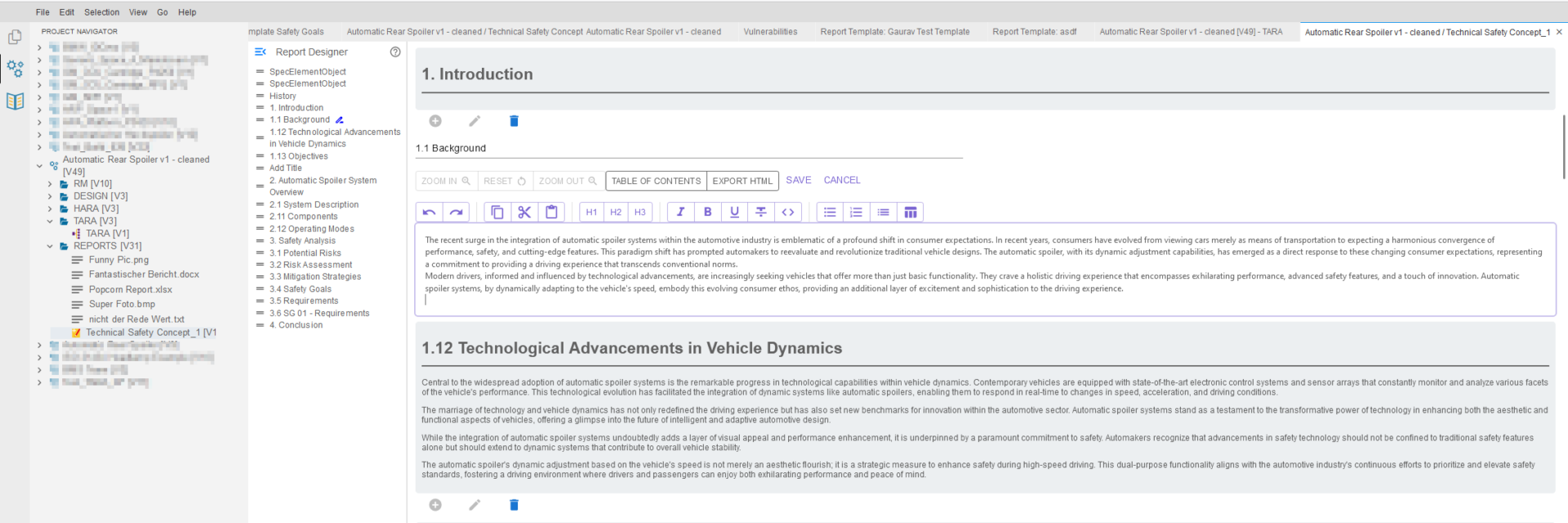
Customized Documentation
Build documents that match your project and your standards.
- Create customized documentation with a couple of clicks
- Use templates and reusable placeholders
- Work in a user friendly web based interface
- Structure safety and security reports flexibly
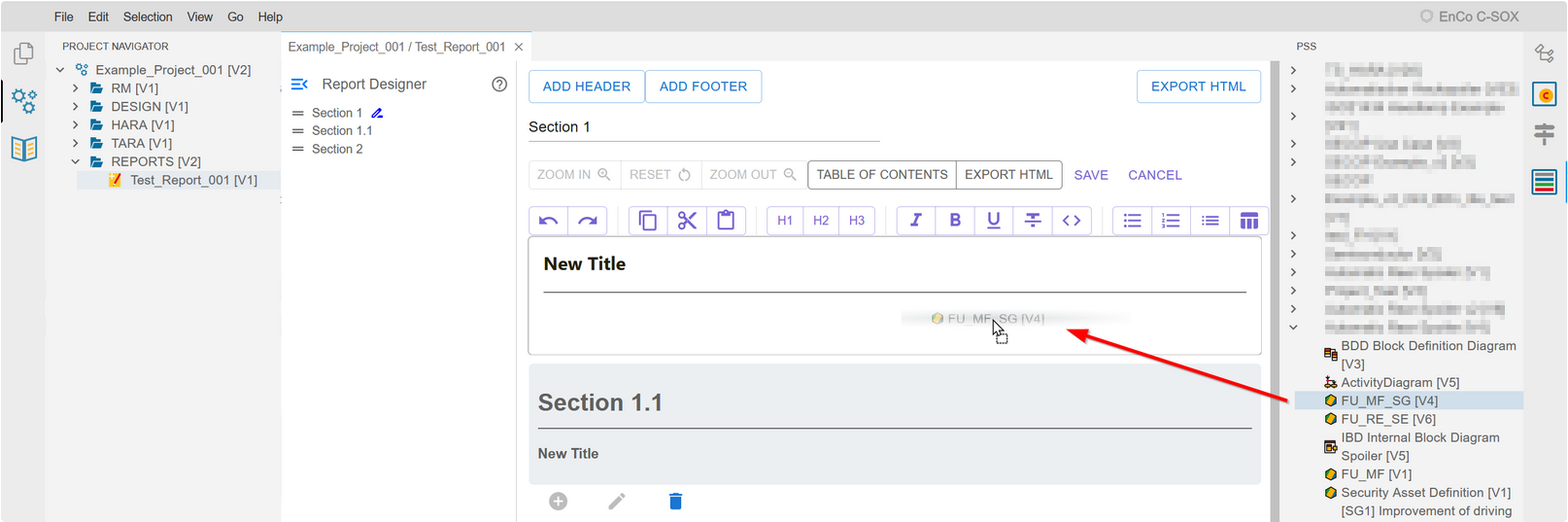
Comprehensive Data Import
Bring data from the whole SOX workbench into your documents.
- Display data from all SOX modules
- Include SysML diagrams, requirements and analysis results
- Drag and drop data from existing projects
- Enhance documents with rich visualization
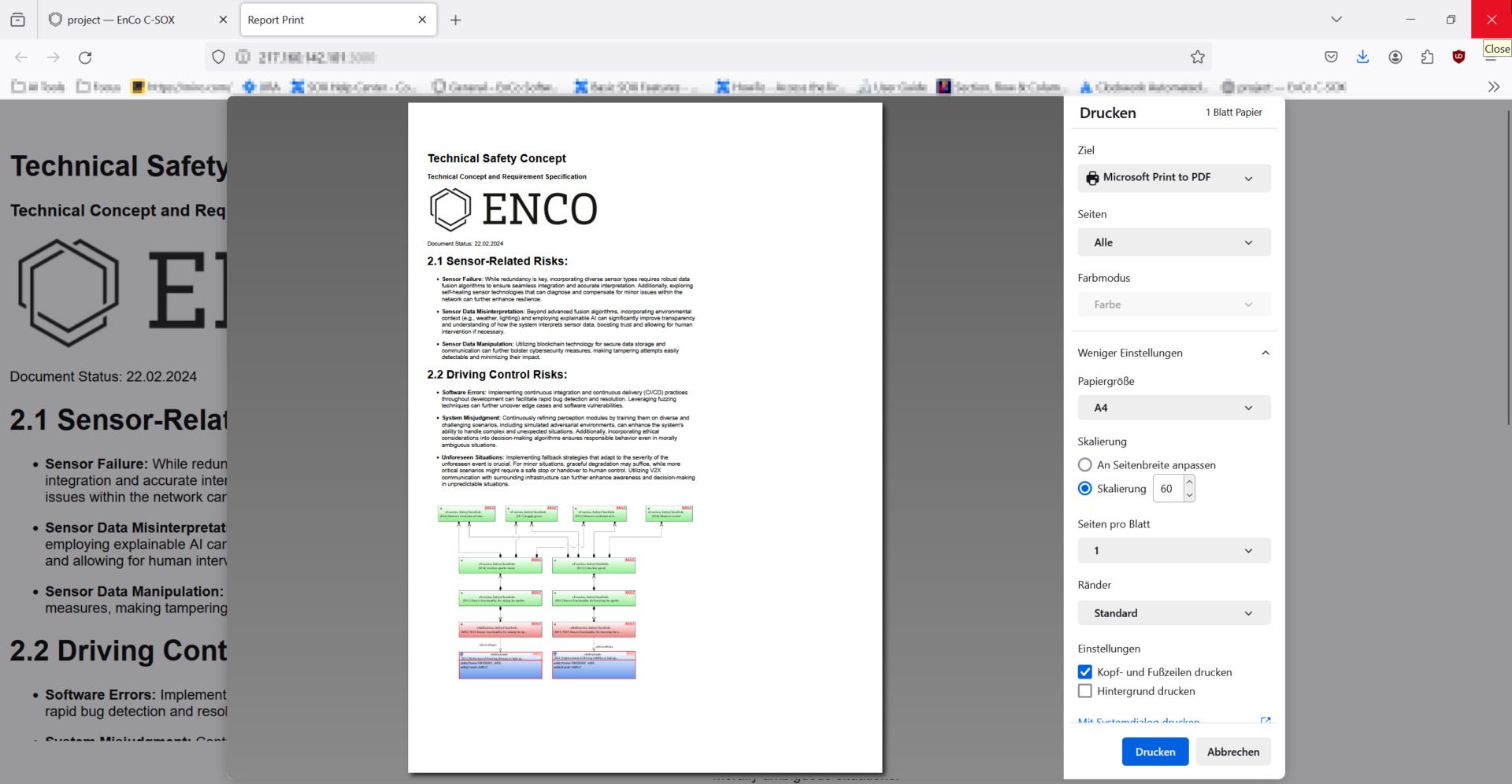
Live Updates & Compliance
Keep documentation current and audit ready.
- Update report content live from project data
- Avoid manual copy and paste errors
- Track compliance requirements efficiently
- Keep documentation consistent across versions
Integrated Engineering. Connected Documentation.
EnCo SOX connects documentation with requirements, system structures and analyses so reports always reflect the current state of your engineering data.
Requirements
Display requirements and their status directly in your documents.
System Design
Include SysML and UML diagrams from the system model.
Analyses
Report results from FMEA, FMEDA, FTA, HARA and TARA.
Test
Document test cases, runs and coverage results.
Report Designer
Compose consistent documentation from connected engineering data.
Deliverables
Publish safety and security documentation for customers and assessors.
End to End Traceability
Documentation stays connected to the engineering data it reports on.
Reuse Engineering Knowledge
Use templates and placeholders across projects instead of rebuilding documents manually.
Consistent Engineering Data
Report from connected data rather than isolated documents and reduce inconsistencies.
Documentation becomes part of the engineering model. EnCo SOX allows teams to generate reports from live engineering data instead of maintaining documents by hand.
Connect Reporting with Your Engineering Toolchain
Import engineering information, compose structured documents and export deliverables for further use across your organization. EnCo SOX helps integrate documentation into established engineering workflows instead of creating another manual task.
Import
Bring data from all SOX modules into your documents, including diagrams, tables and analysis results.
Data Exchange
Keep documents synchronized with project data through live updates instead of manual copying.
Export
Export finished documentation for communication with customers, auditors and assessors.
Toolchain Integration
Connect documentation with surrounding engineering processes and keep it available where your teams need it.
Use Existing Data
Report on engineering information that already exists instead of retyping it into documents.
Reduce Duplicate Work
Generate documents from templates and live data and reduce manual documentation effort.
Keep Engineering Connected
Keep documentation consistent with the engineering data it is based on.
Your documentation does not have to be manual work. EnCo SOX helps you turn structured engineering data into consistent deliverables while keeping everything connected to your engineering environment.
Technical Overview
Key technical capabilities of EnCo SOX Report Designer at a glance.
Web Based
Drag & Drop Editor
Templates &
Reusable Placeholders
All SOX Modules &
SysML Diagrams
Live Updates
from Project Data
Efficient
Compliance Tracking
Safety & Security
Documentation
Ready to Improve Your Documentation Workflow?
See how EnCo SOX Report Designer can support your engineering team with automated, consistent and audit ready project documentation.
Schedule Your Free ConsultationFrequently Asked Questions About the Report Designer
Find answers to common questions about EnCo SOX Report Designer, document templates, live updates and the integration of documentation into your engineering processes.
What is the EnCo SOX Report Designer?
The Report Designer is the documentation module of the EnCo SOX engineering workbench. It creates customized safety and security documentation from your project data with drag and drop, templates and live updates.
Which data can be included in reports?
Data from all SOX modules can be displayed, including requirements, SysML and UML diagrams, functions and the results of FMEA, FMEDA, FTA, HARA, TARA and testing.
How do live updates work?
Report content is connected to the underlying project data. When the data changes, the document content updates accordingly, so documentation stays current without manual copy and paste.
Can we use our own document templates?
Yes. Templates and reusable placeholders let you standardize documents across projects, so recurring deliverables can be produced with a couple of clicks.
Is the Report Designer difficult to learn?
No. The Report Designer is web based and works with drag and drop. Data from existing projects is placed into the document directly, without report scripting.
How does the Report Designer support compliance?
Compliance requirements can be tracked efficiently within the documentation, and consistent generated documents reduce the risk of outdated or contradictory information in assessments.
Can diagrams be displayed in documents?
Yes. SysML and UML diagrams from the System Designer as well as visualizations from the analyses can be displayed directly in your reports.
Why generate documentation instead of writing it manually?
Manual documents drift out of sync with the engineering data as projects evolve. Generated documentation stays consistent with the actual project state, reduces effort and avoids copy and paste errors.

